


Description
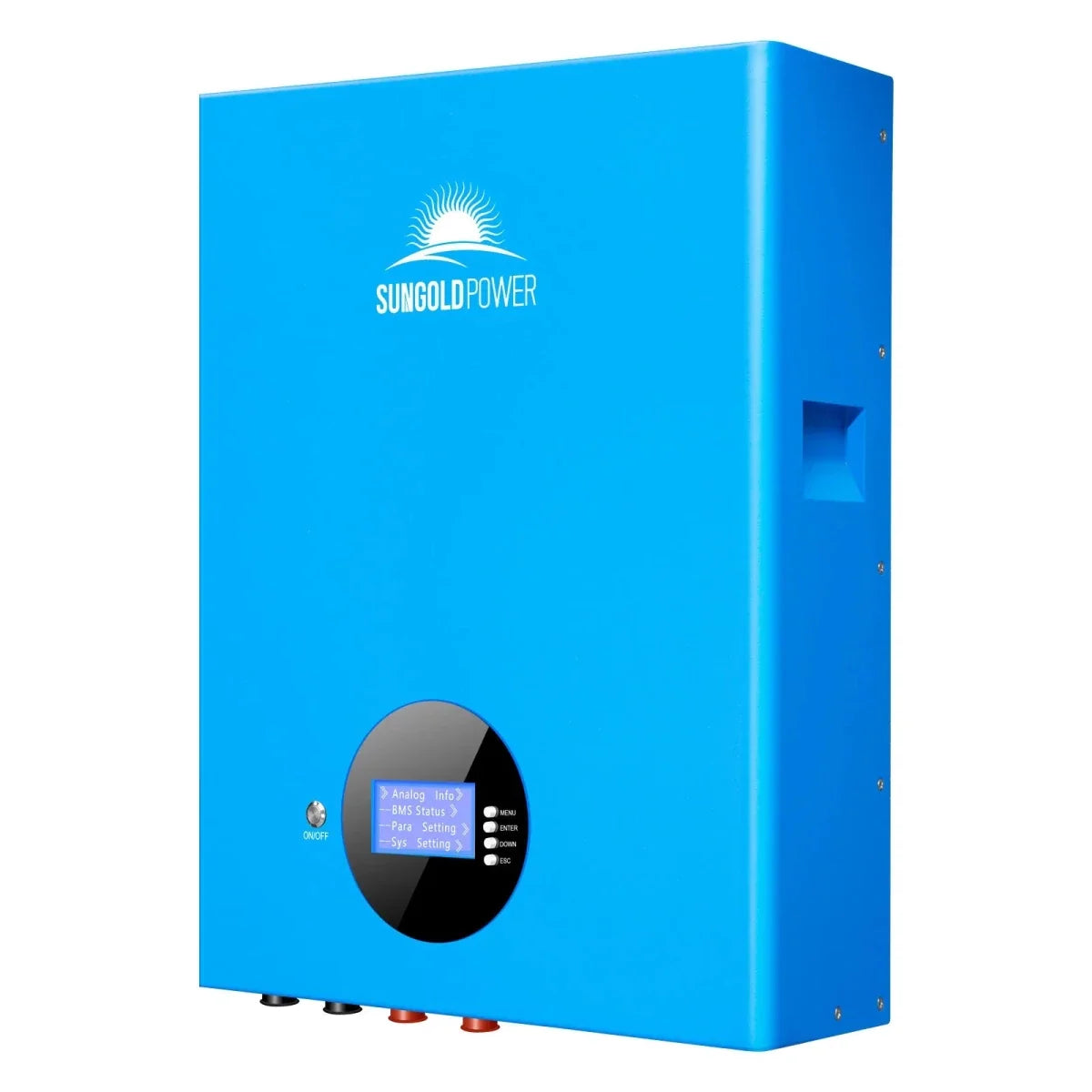
5.12KWH Wall-mounted LiFePO4 Lithium Battery SG48100M UL1973


The SunGoldPower 5.12KWH Wall-mounted LiFePO4 Lithium Battery SG48100M UL1973 is a compact lithium iron phosphate energy storage battery designed for residential, small commercial, and industrial energy storage systems. With a nominal voltage of 51.2V and a rated capacity of 100Ah, it provides reliable energy storage in a space-saving, wall-mounted design.
Built for long-term performance, this battery features an intelligent Battery Management System (BMS), an LCD display, and multiple communication interfaces. Its modular design supports parallel expansion, making it suitable for energy storage systems that may require additional battery capacity over time.
Key Features


Specifications
- Battery Chemistry: Lithium Iron Phosphate (LiFePO4)
- Energy Capacity: 5.12kWh
- Rated Capacity: 100Ah @25°C ± 2°C, 0.5C, 100% DOD
- Nominal Voltage: 51.2V
- Recommended Charging Voltage: 54.5V
- Charging Voltage Limit: 57.6V
- Recommended State of Charge Operating Range: 20%–95%
- Standard Charging Current: 50A
- Maximum Continuous Charging Current: 100A
- Standard Discharge Current: 50A
- Maximum Continuous Discharge Current: 100A
- Charging Cut-Off Voltage: 57.6V
- Charging Cut-Off Current: 5A
- Discharging Cut-Off Voltage: 43.2V
- Cycle Life: ≥7000 cycles at 80% DOD, 25°C ± 2°C, 0.5C charge/0.5C discharge
- Thermal Management: Natural heat dissipation
- Protection Rating: IP20
- Plastic Component Flammability Rating: UL94 V-0
- Battery Weight: Around 43KG
- Battery Dimensions (L × W × H): 420 × 580 × 140mm ± 2mm
- Design Life: 15 years
- Display: English smart display
- Communication Interfaces: RS232, RS485, CAN
- RS232 Default Baud Rate: 9600bps
- RS485 Default Baud Rate: 9600bps
- CAN Communication Baud Rate: 500K
- Maximum Parallel Battery Quantity: 63 batteries
- Maximum Parallel System Capacity: 322.56kWh
- Charging Temperature: 0°C to 45°C
- Discharging Temperature: -20°C to +60°C
- Recommended Storage Temperature: 0°C to +30°C
- Working Environment Relative Humidity: ≤95%
- Recommended Working Environment Relative Humidity: ≤85%
- Shipping State of Charge: 45%–55%
- Certification: UL1973

How to Use
Follow the instructions in the SG48100M user manual. Battery installation, electrical connections, and system configuration should be handled by a qualified professional.
Step 1: Review the Safety Instructions
Read the user manual and all battery precautions before use. Keep the battery away from direct sunlight, rain, excessive temperatures, and hazardous materials.
Step 2: Check Battery Connections
Ensure the battery is connected with the correct polarity. Reverse-polarity charging and short circuits are prohibited.
Step 3: Activate the Battery
When the Battery Management System is in its dormant state, press and hold the control button for 3–6 seconds, then release it.
The protection board will activate, and the LED indicators will illuminate sequentially.
Step 4: Monitor Battery Status
Use the LCD display and battery indicators to monitor operating information.
The battery's LED indicators communicate operating conditions, charging and discharging activity, battery capacity, and alarms.
Step 5: Place the Battery into Sleep Mode
When the Battery Management System is active, press and hold the control button for 3–6 seconds, then release it.
The protection board will enter sleep mode.
Step 6: Reset the Battery Management System When Necessary
When the BMS is active, press and hold the control button for 6–10 seconds, then release it.
All LED lights will illuminate simultaneously for 1.5 seconds to indicate the reset.
A reset retains the parameters and functions previously configured through the host computer.
Important Safety Precautions:
-
Do not short-circuit the battery.
-
Do not disassemble, puncture, crush, or burn the battery.
-
Do not expose the battery to rain or direct sunlight.
-
Do not expose the battery to temperatures above 60°C.
-
Do not combine new and old battery groups in series or parallel.
-
Do not combine lithium-ion batteries with other battery types in series or parallel.
-
Stop using the battery immediately if abnormal operation is detected and seek professional assistance.
Compatibility
The battery supports CAN, RS485, and RS232 communication.
The manufacturer identifies compatibility with inverter brands including:
-
Growatt
-
Deye
-
SunGoldPower
-
Luxpower
-
Victron Energy
-
Schneider
-
Phocos
-
SMK
Compatibility depends on the specific inverter model and communication configuration.

Included
The following components are listed for each battery package:
-
1 × Lithium iron phosphate battery
-
1 × Set of positive and negative output cables (red and black, 1500mm long)
-
1 × RS485 cascade communication cable (1.5 meters long, RJ45 connectors)
-
1 × Product manual
-
1 × Certificate
-
1 × Wall-mounting bracket and supporting M10 expansion bolts
-
4 × M6 × 12 composite bolts
-
1 × Dry contact terminal
An RS232-to-USB cable is identified as an optional accessory.
Care and Maintenance
- Monthly: Keep the battery away from heat sources and direct sunlight. Visually inspect the battery for damage, leaks, or deformation.
- Quarterly: Clean the exterior using a cotton cloth and inspect the terminal connections. Exercise caution because of the battery's electrical voltage.
- Every Six Months: Follow the manual's battery voltage inspection and recording procedures.
- Long-Term Storage: Follow the manufacturer's storage and charging requirements. Do not disassemble or replace internal battery components without authorization.
Product Support
Warranty
Warranty & Support
Price Match Guarantee
Payment & Security
Your payment information is processed securely. We do not store credit card details nor have access to your credit card information.